Tracer Golf

Overview
TracerGolf is Canada’s first fully automated, 24/7 indoor golf driving range with multiple locations across Toronto.
Driven by a love for the game and a desire to make golf practice more accessible, Tracer Golf focuses on affordability, convenience, and helping golfers improve through high-tech, self-guided training in private bays.
The website redesign for Tracer golf focused on simplifying the user journey for new visitors, increase user engagement to reduce troubleshooting calls and making the site easier to update for in-house staff.
Team: UX designer (Kaushani Patel, Katrina Cruz)
Tools: Figma, Figjam, Optimal sort
Skills: Competitive Research, User Research, Information Architecture, Userflows, Wireframing, Web Design
Problem
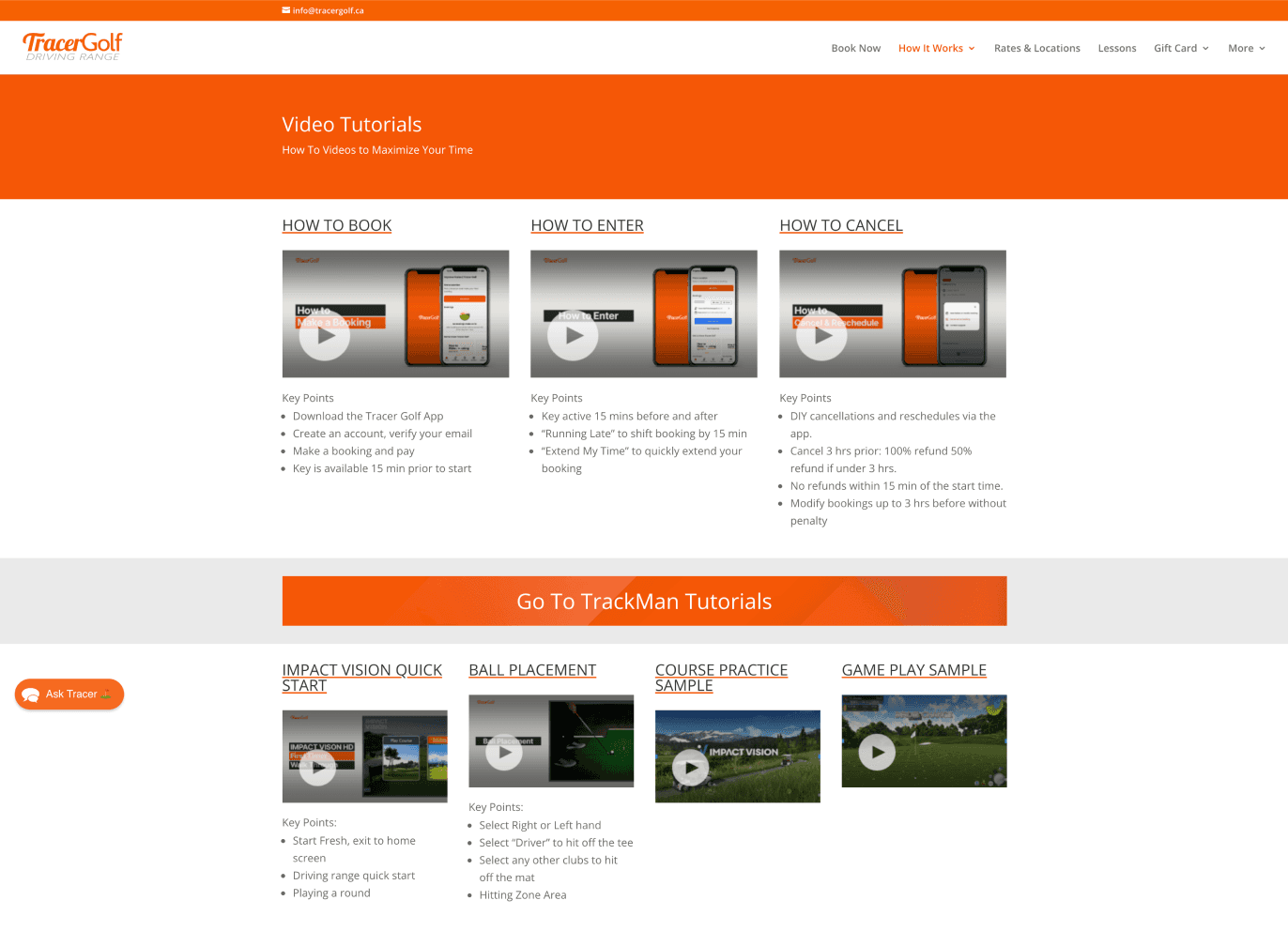
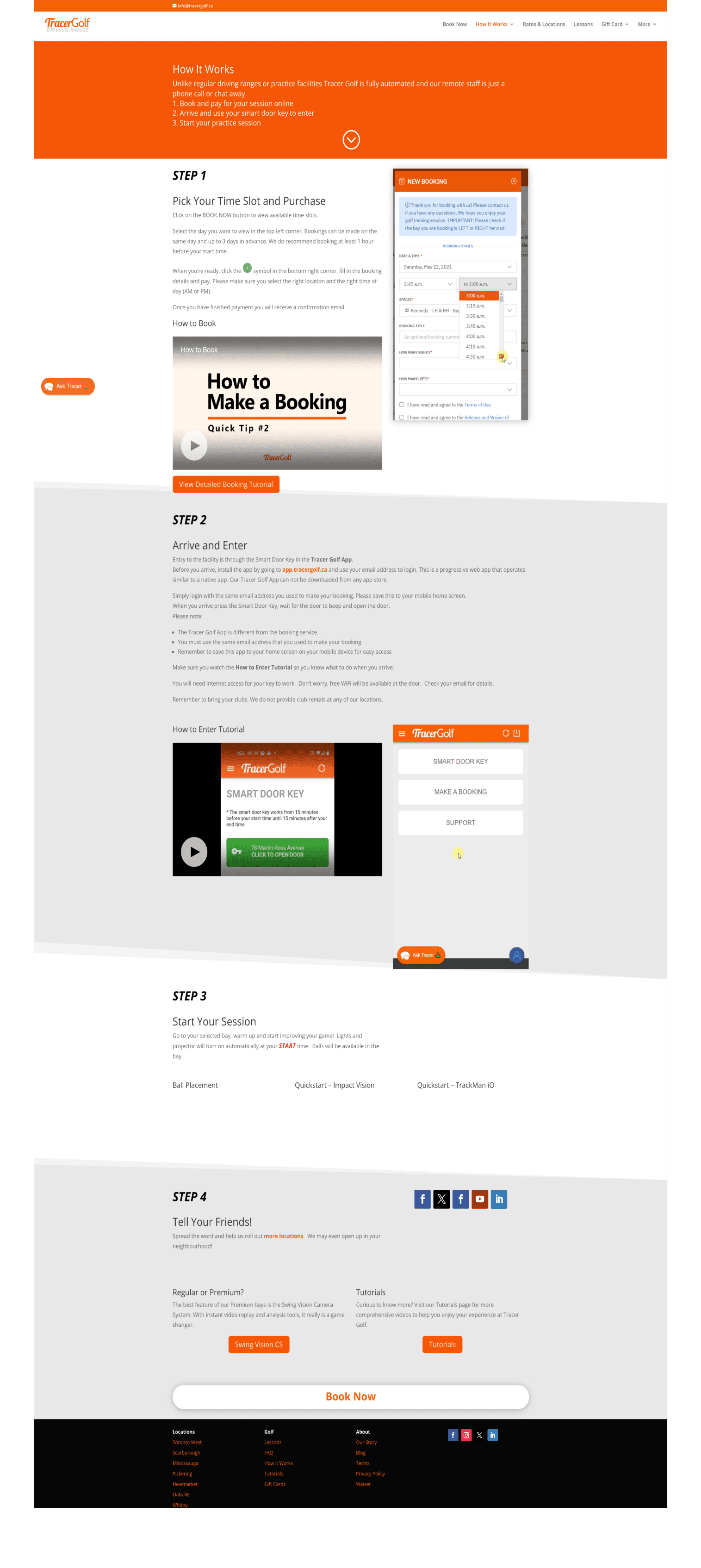
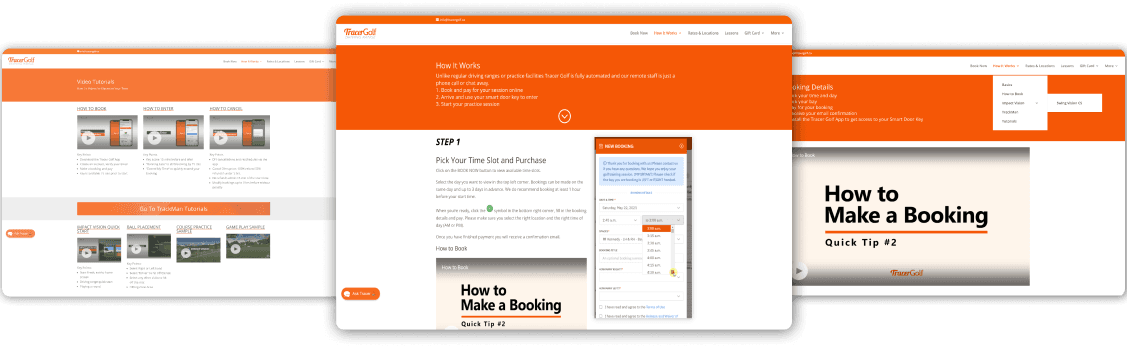
Current help resources are not effective for users.
16% of customer support calls are about navigating the simulator software. This is the number 1 reason for incoming calls, despite the availability of instructional videos throughout the user journey.
Densely packed content and inconsistent UI
Lack of visual hierarchy and Important information was buried or repeated, increasing cognitive load for users trying to understand the service.
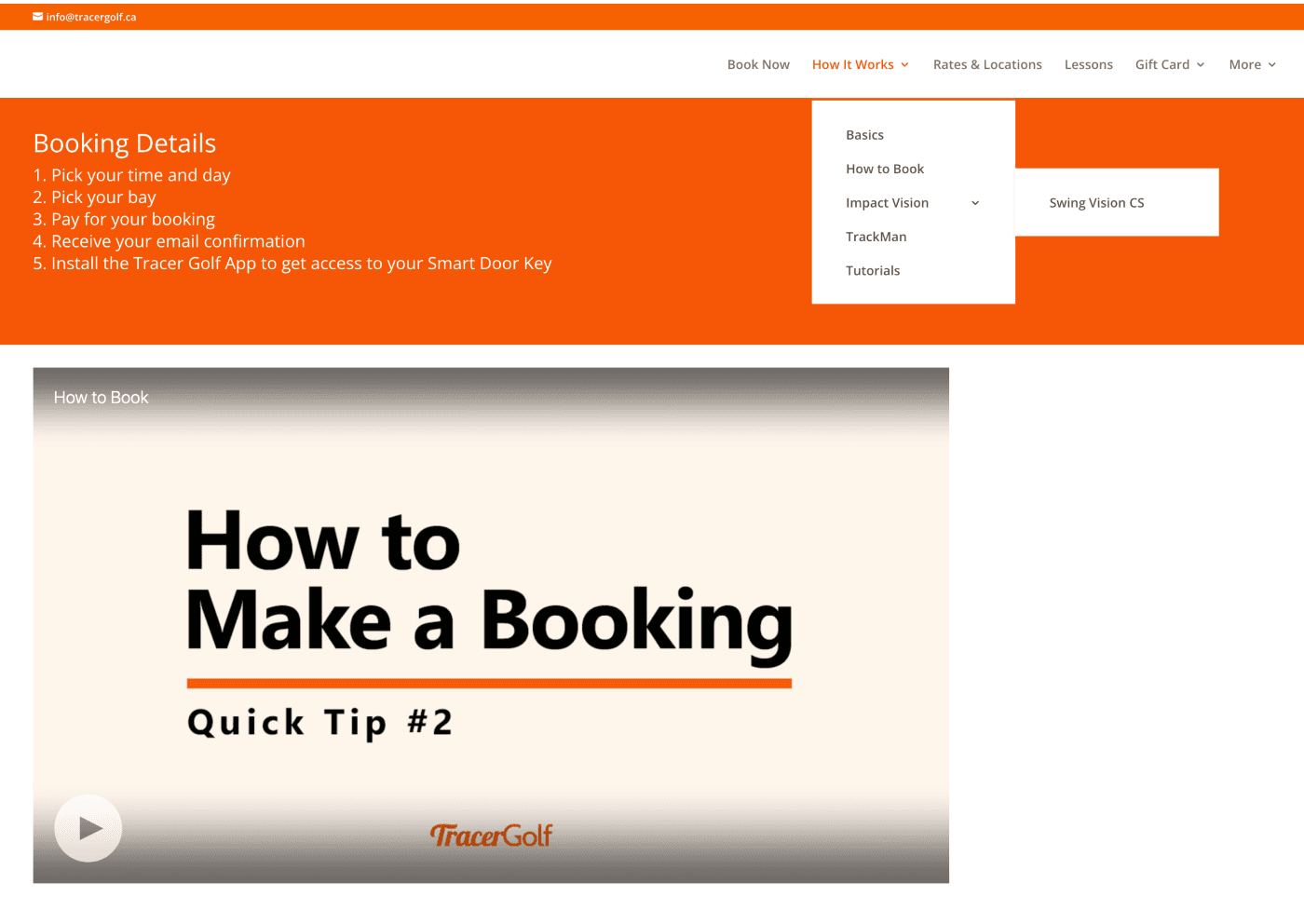
Navigation was highly complex and confusing
Users found it difficult to complete simple tasks. The original site had multiple entry points and inconsistent navigation patterns.
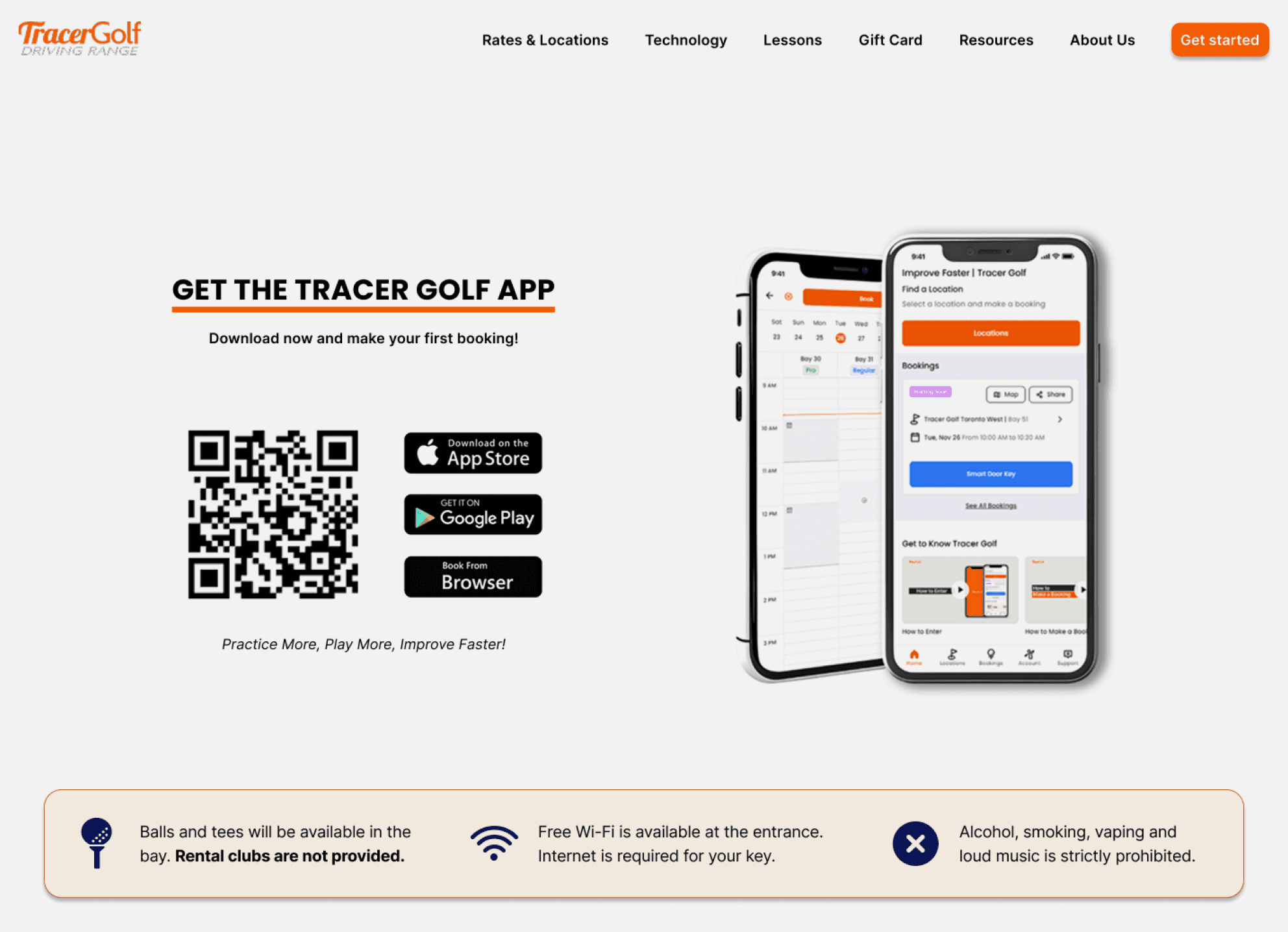
Packed content and inconsistent UI
Before
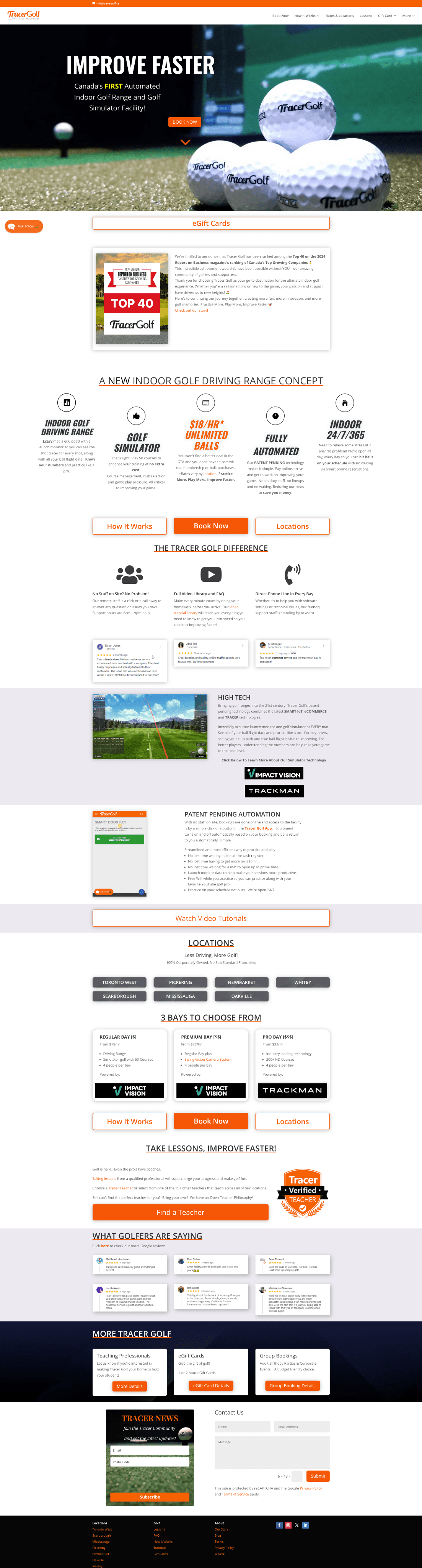
After

Before
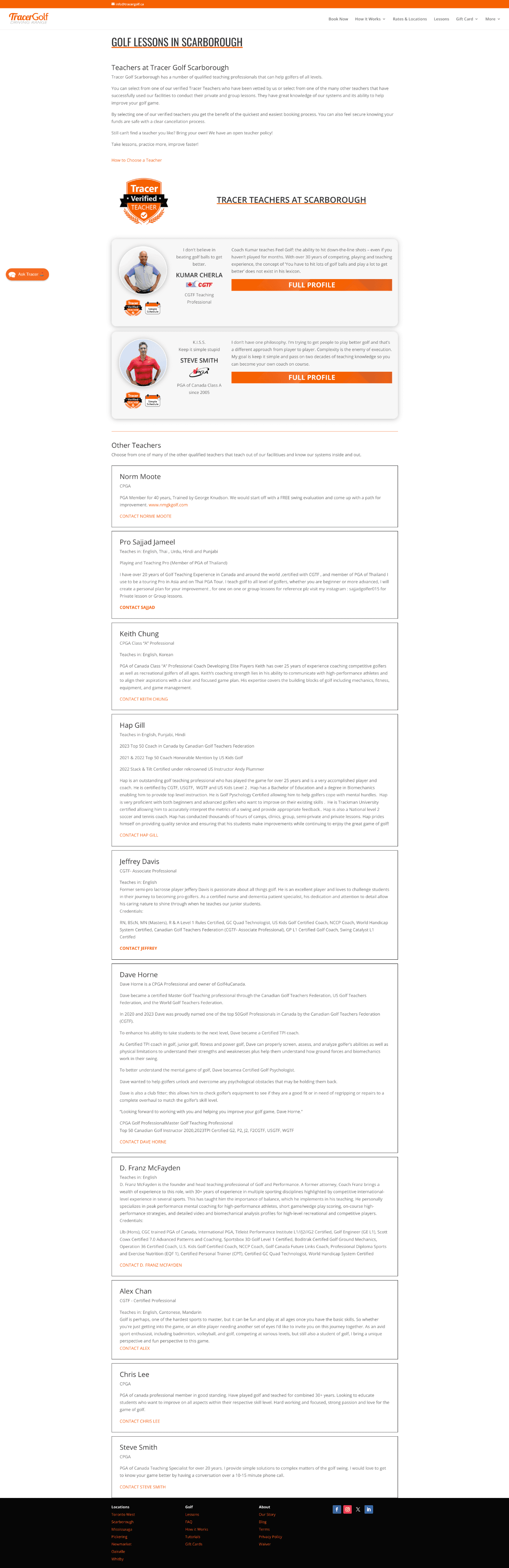
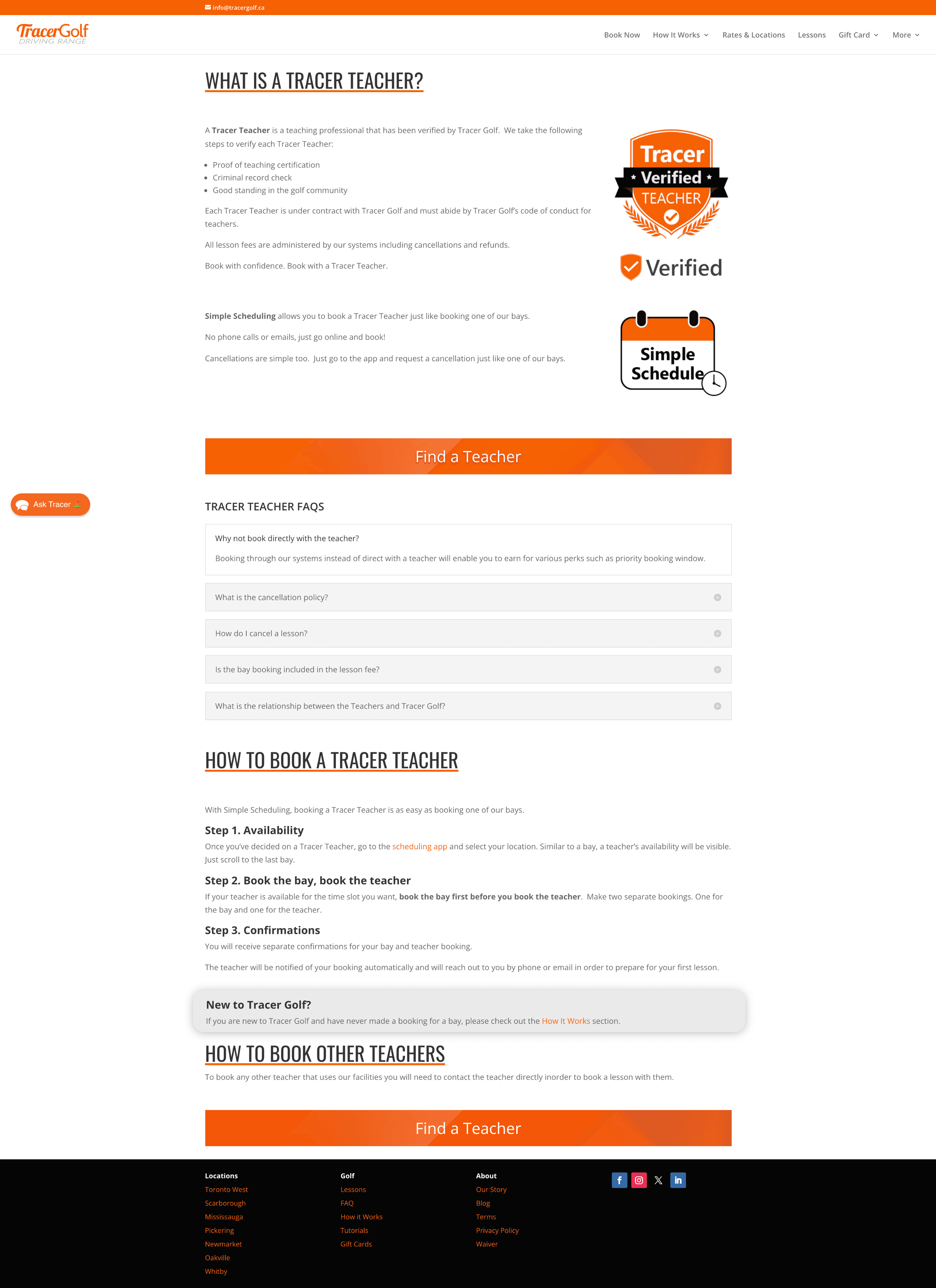
After
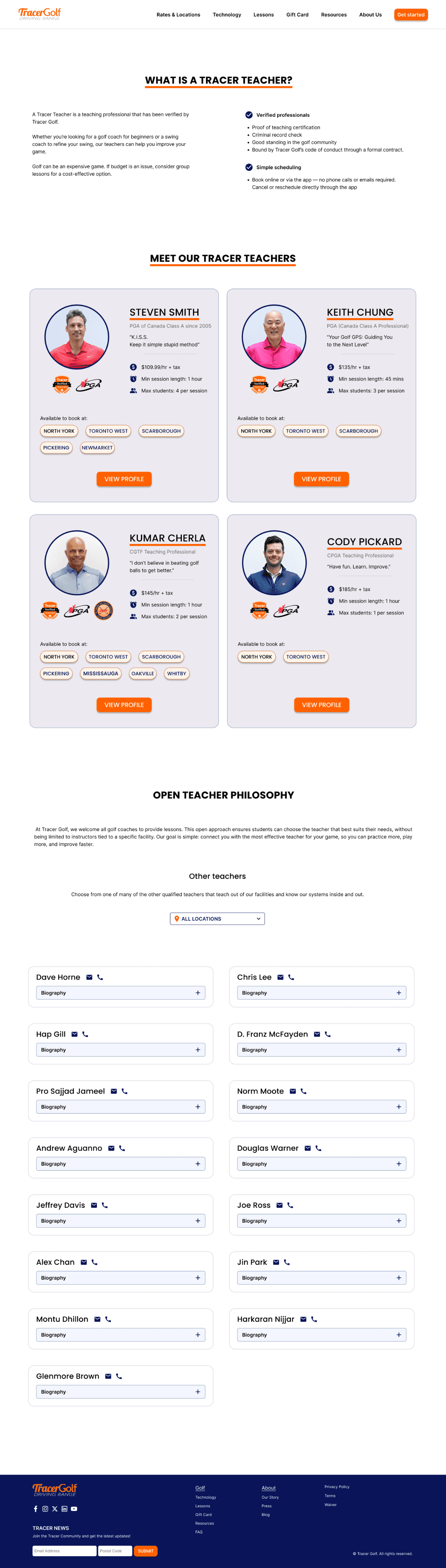
Before
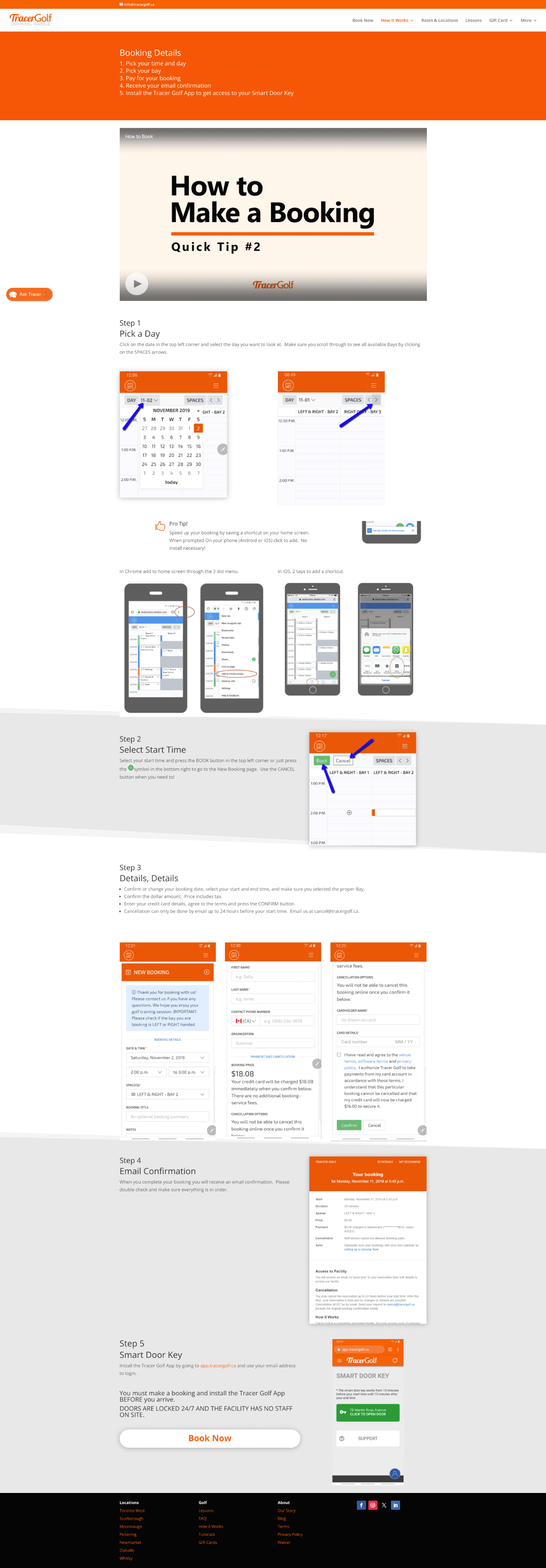
After
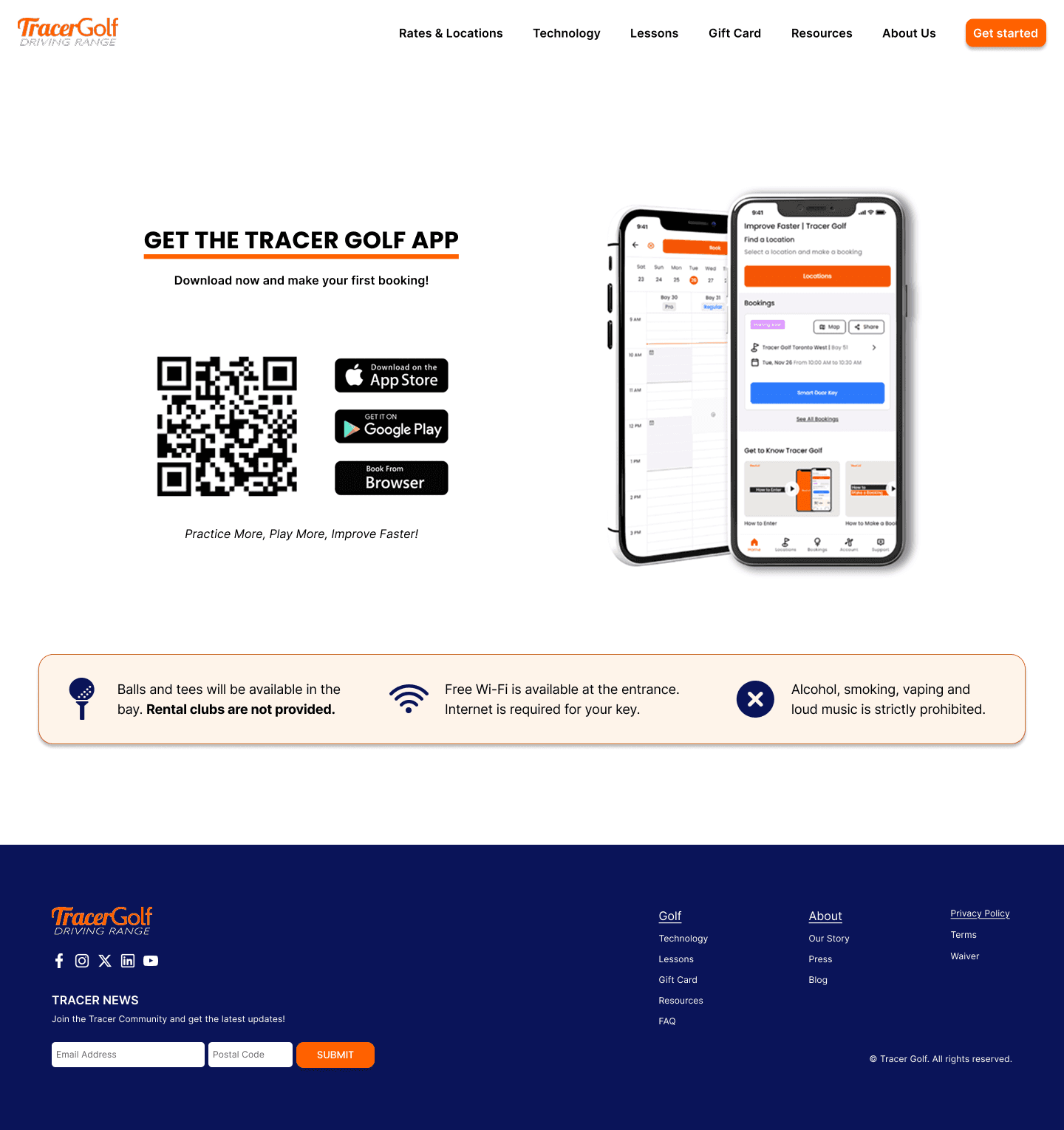
Before
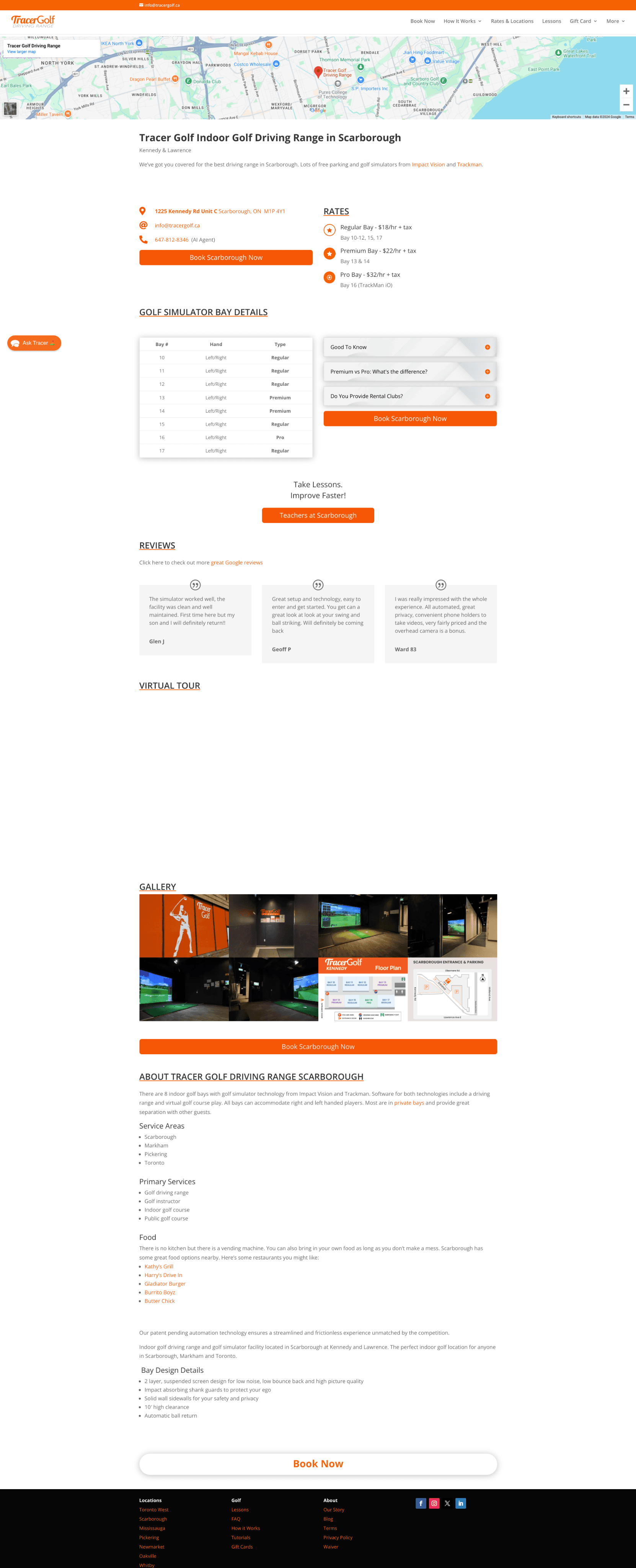
After
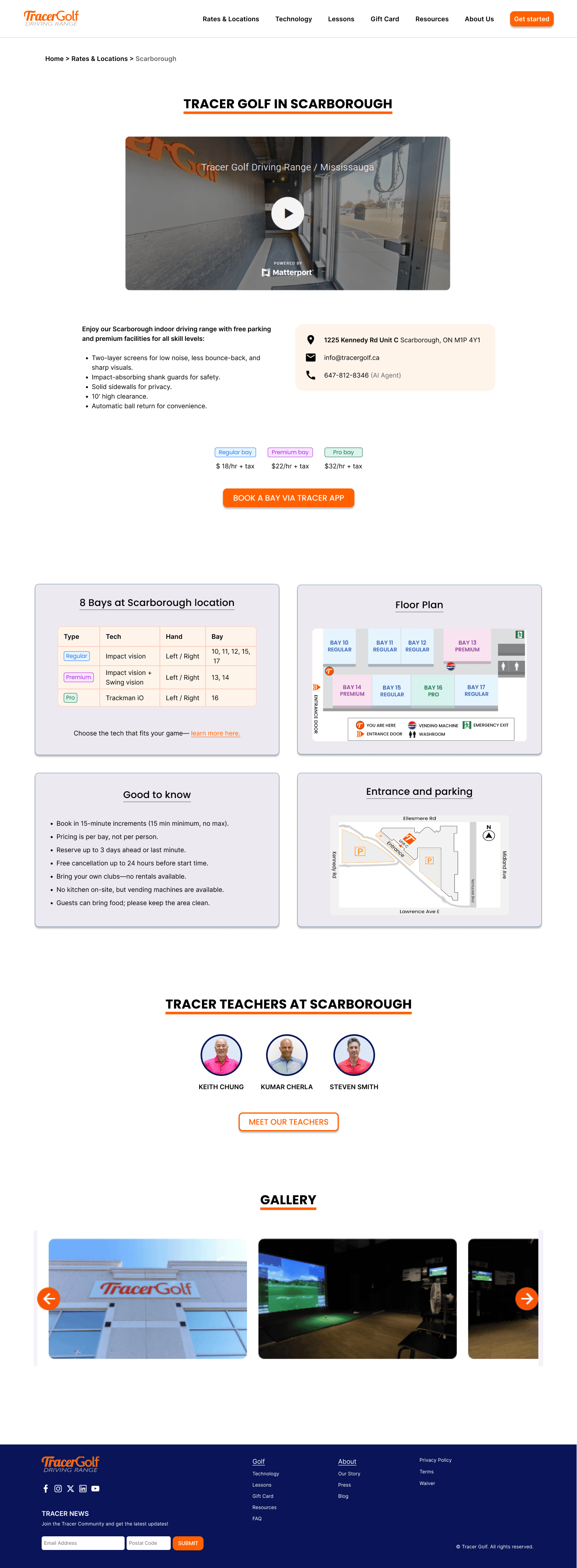
Process
Existing data shared by our client gave us valuable insights into their userbase, business model and pain points, allowing us to focus our efforts and shape our research plan.
The client needs the website to serve as the first point of contact for new customers, guiding them toward downloading the app when they are ready to practice at the facility.
16% of customer support calls are about navigating the simulator software. This is being the number 1 reason for incoming calls, despite the availability of all information on the website.
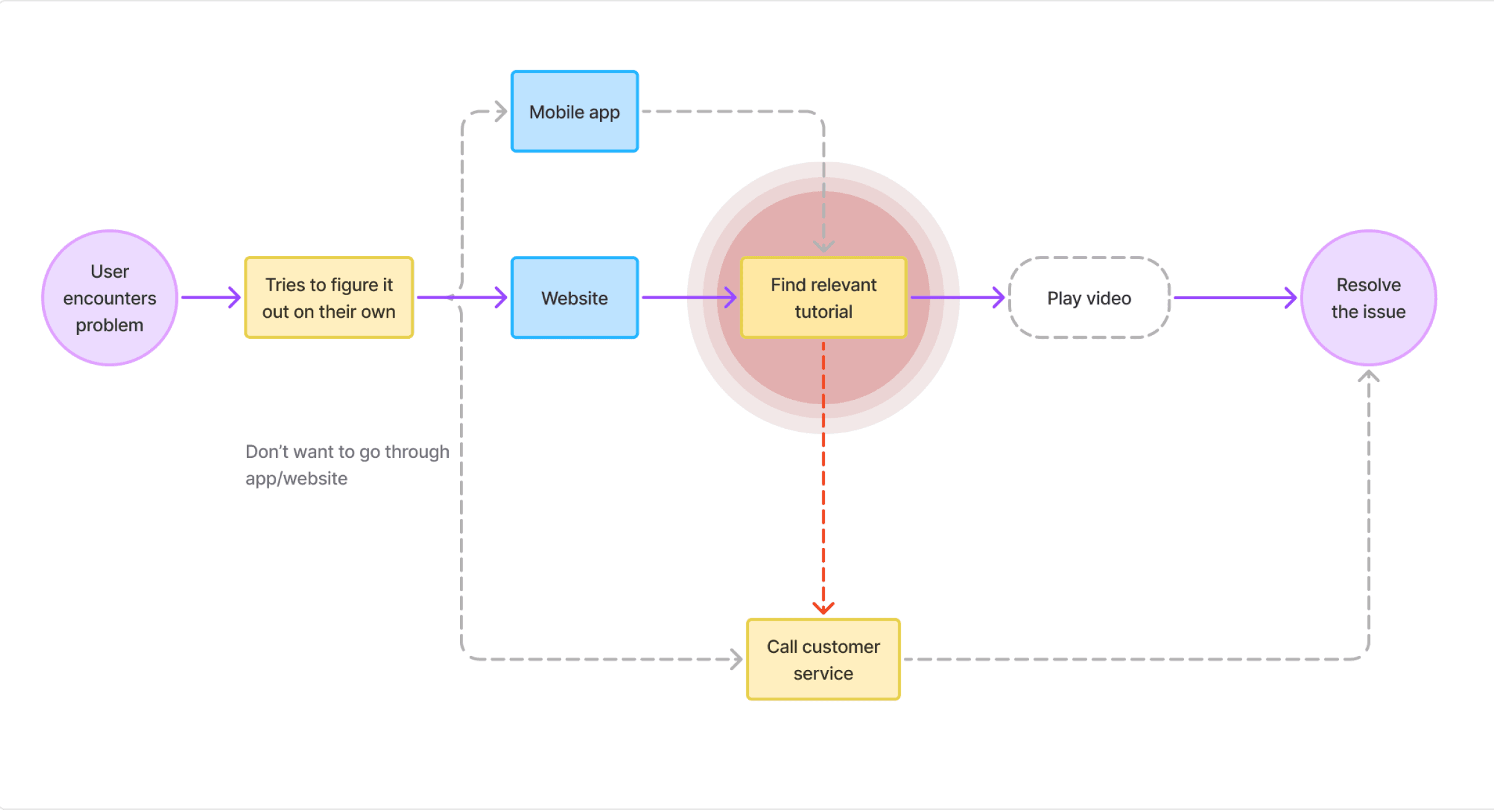
After conducting heuristic evaluation, and interviewing golf enthusiasts we found that the current flows from booking to playing at the location presented multiple friction points.
Like this current user flow for when a user encounters problem at the facility.
We started by reviewing the site’s information architecture and noticed that some labels and terms might be unclear or unintuitive for users.
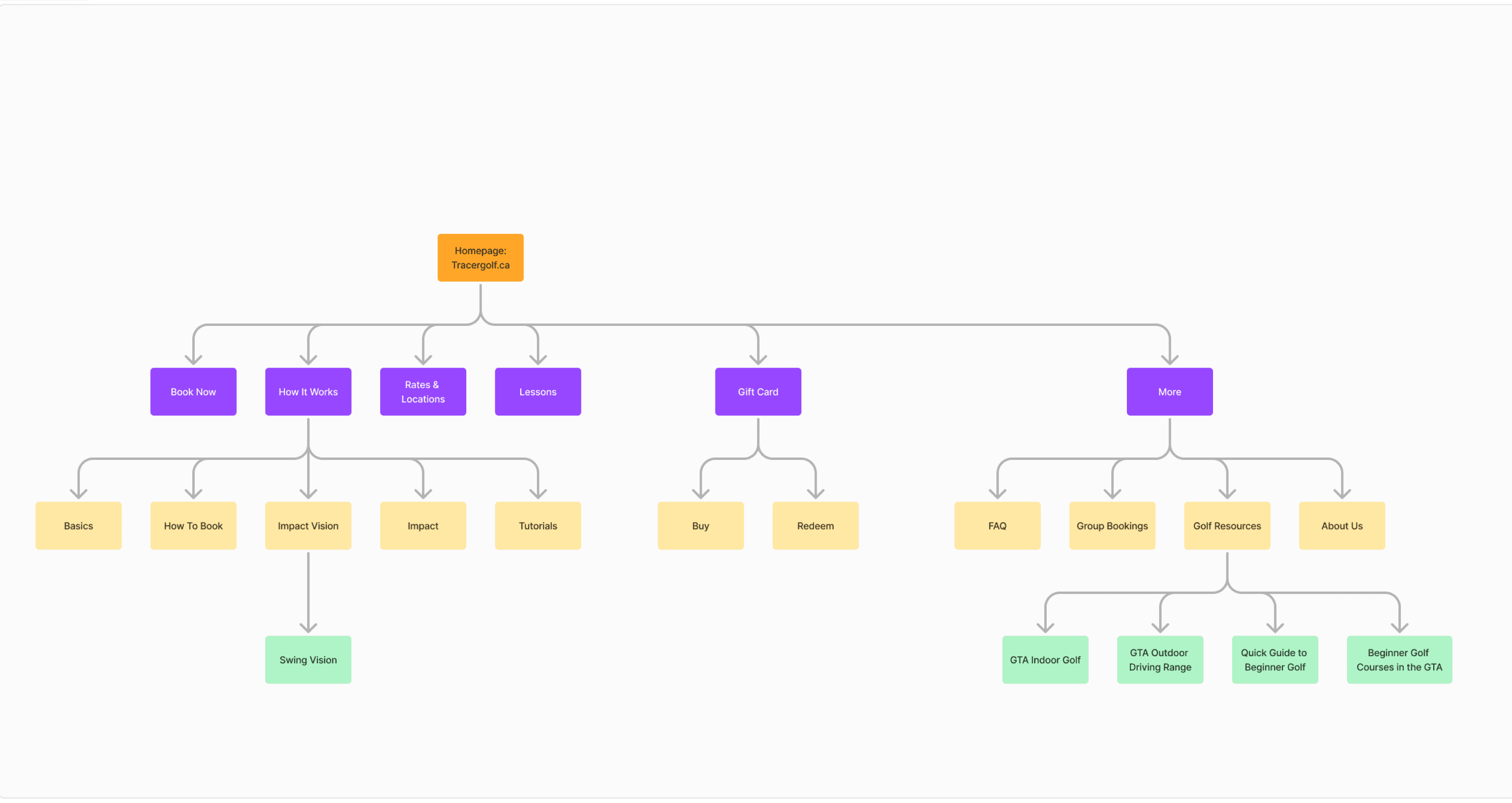
To validate this, we conducted a quick tree test and card sort to better understand how users naturally group and search for information.
This really helped in giving our client first hand insight into user thought patterns and help build alignment around the need.
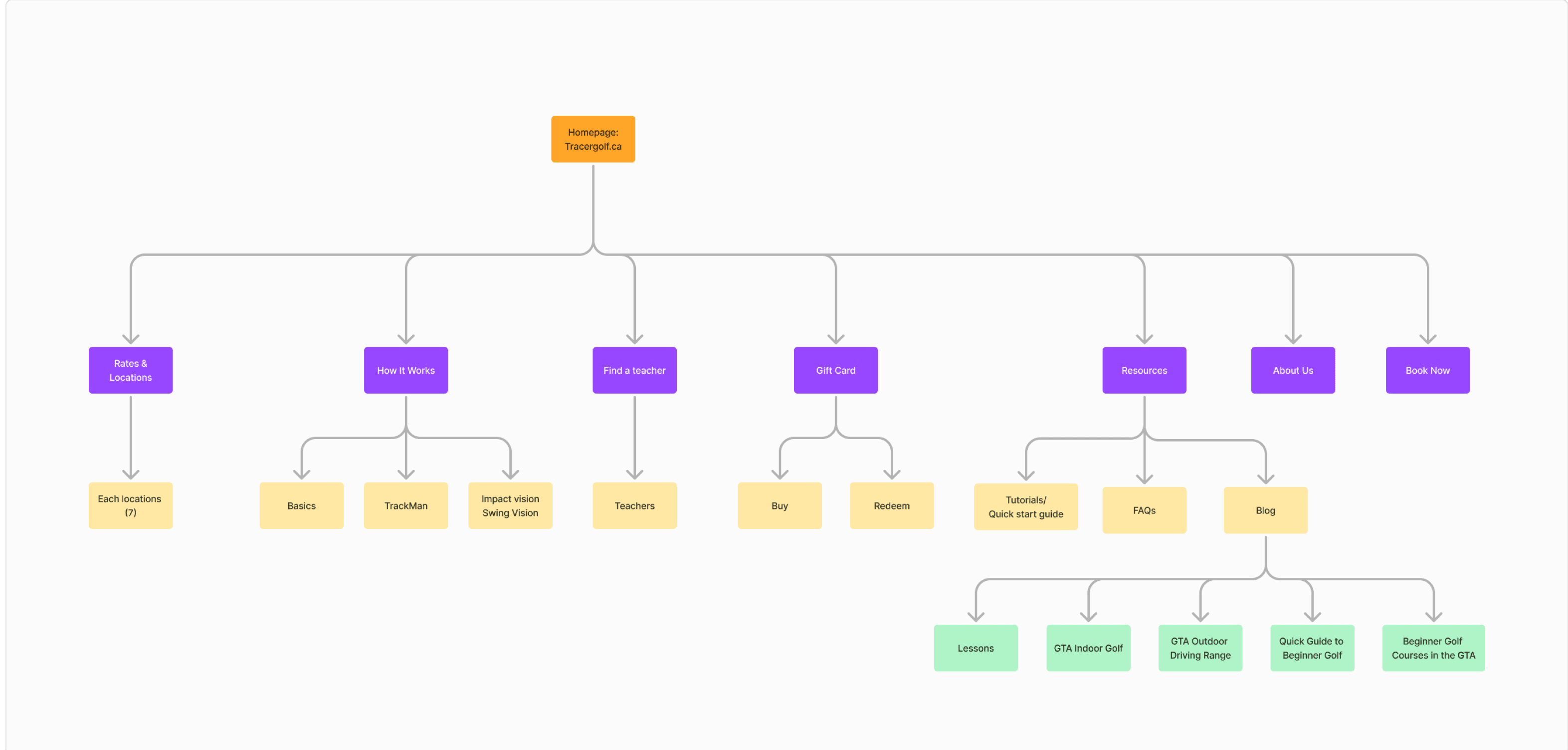
We were able to improve the discoverability of the tutorials by moving them to a new resources page.
The website went through multiple iterations while we streamlined the three most common user tasks
Booking a tee time at chosen bay
Finding and booking a session with a coach
Redeeming gift cards
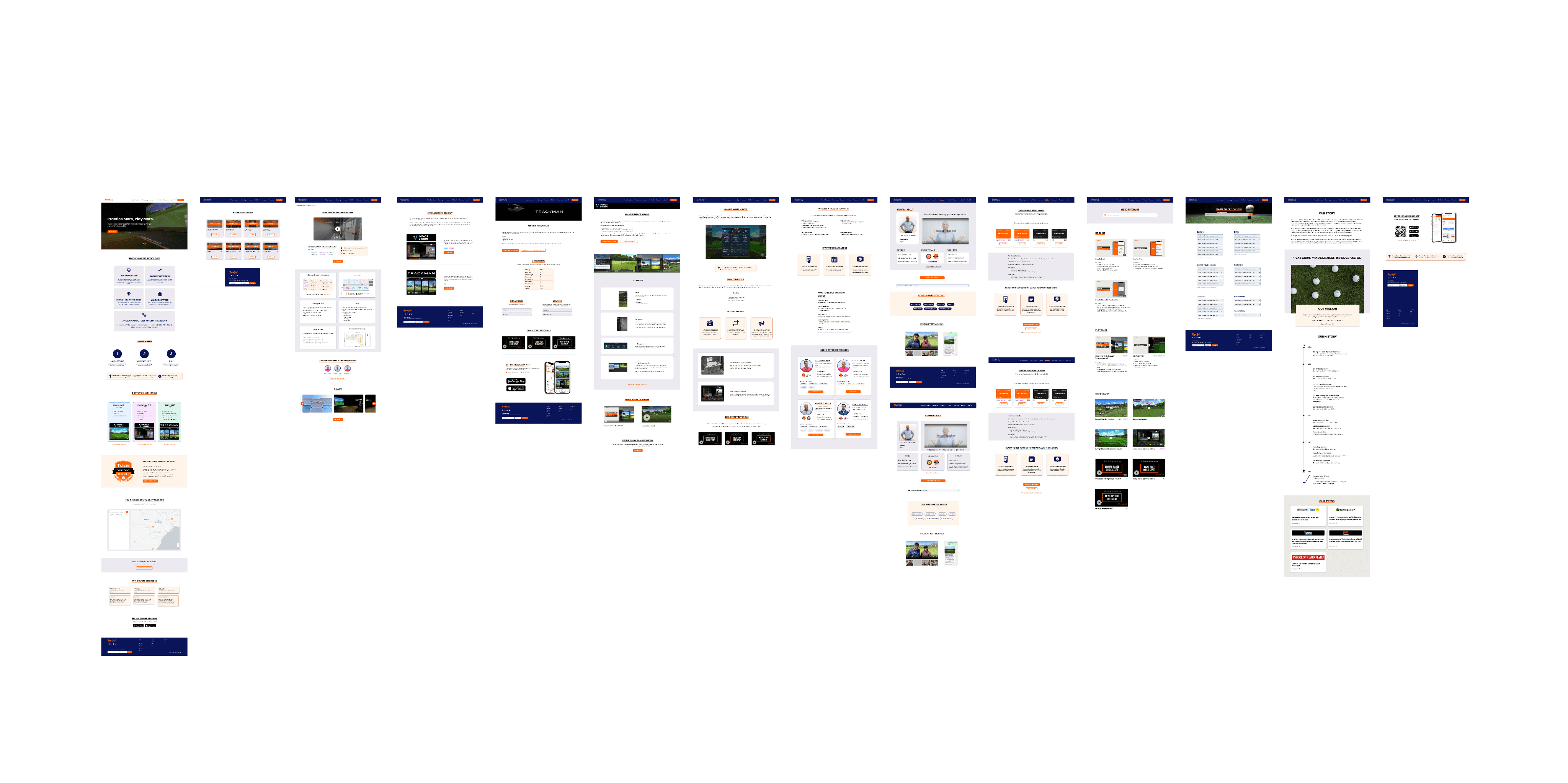
Proposed design
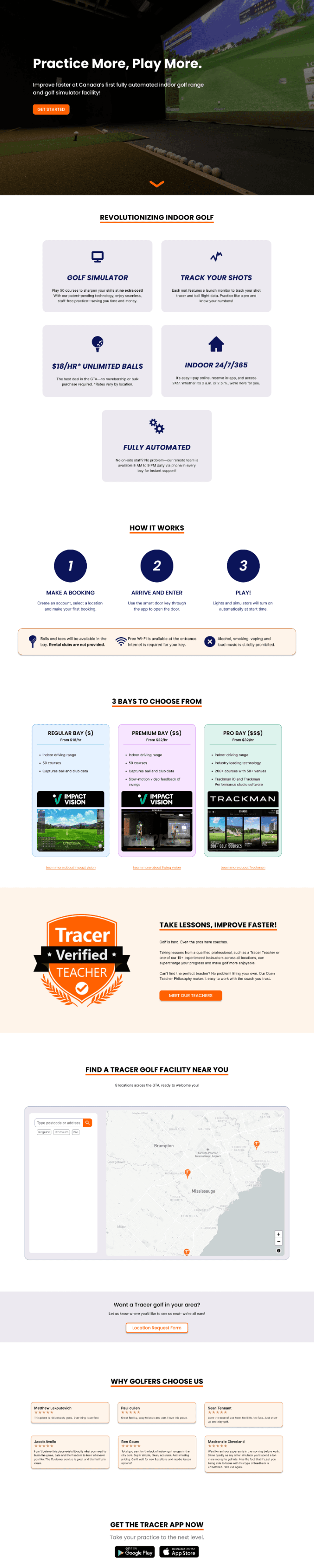
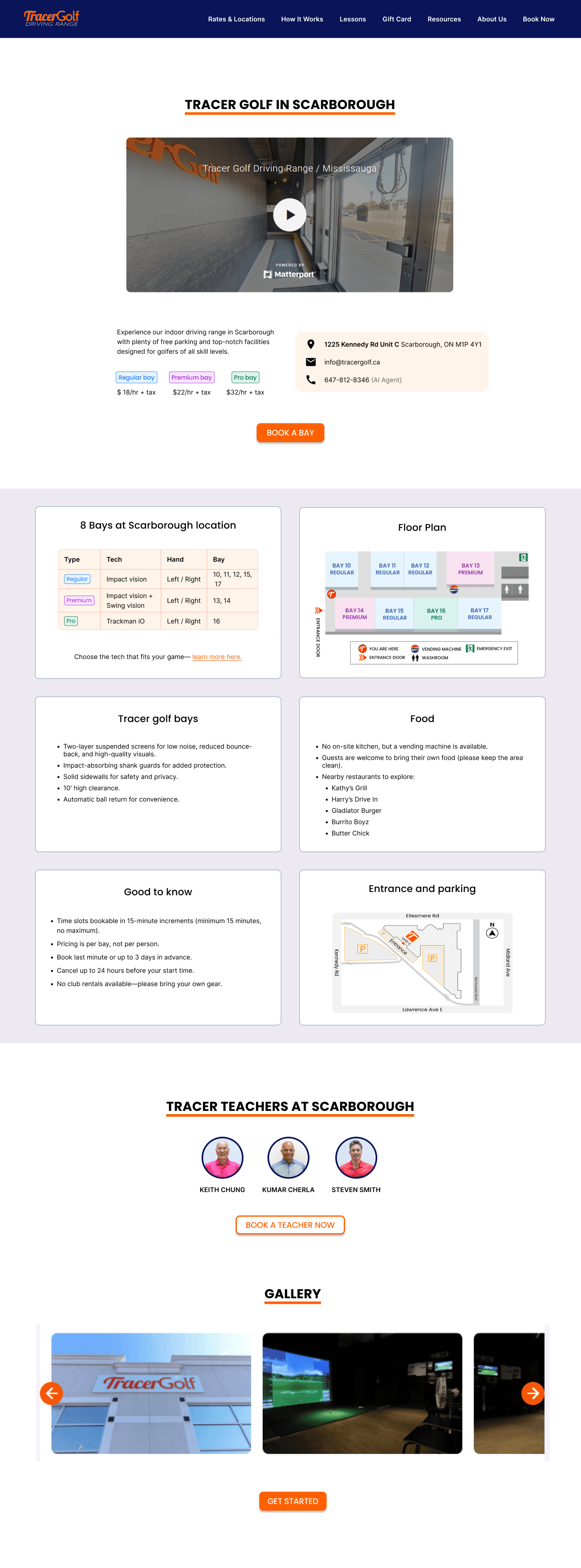
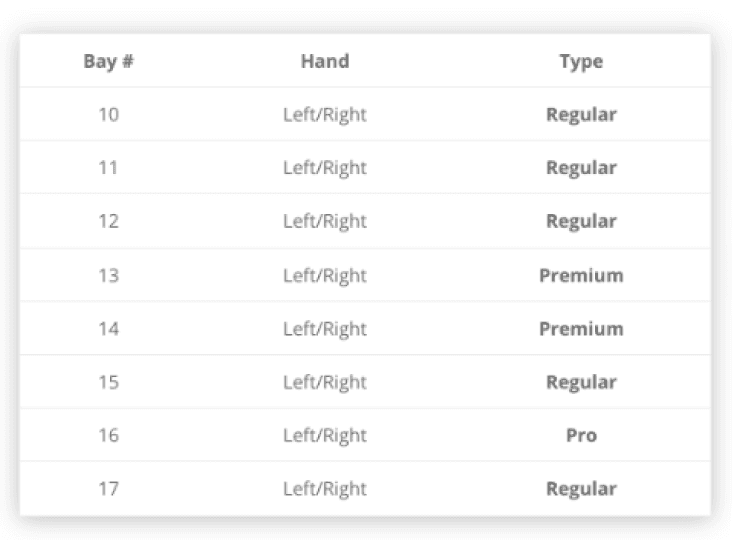
Each screen went through multiple iterations followed by a usability test
Usability test involved users being asked to perform the core flows they would use the website for.
Success
Clear value proposition: All users understood what Tracer Golf is and what it offers directly from the landing page.
Technology section clarity: Users found the pages explaining the simulator technology clear and sufficient.
Information structure: Users appreciated the organization of content and noted that information was easy to grasp because it wasn’t too text-heavy.
Concerns
CTA confusion: Users struggled to identify how to begin the booking and redeem gift card CTAs.
Booking flow complexity: Tasks like booking a coach or redeeming a gift card were still too complex, especially when transitioning from the website to the mobile app.
Lack of excitement for beginners: Casual and beginner golfers felt the site didn’t engage them enough or build excitement, indicating a need for further UI and visual exploration. However core users (Avid golfers) were more focused on accessing practical information and did not express the same concern.
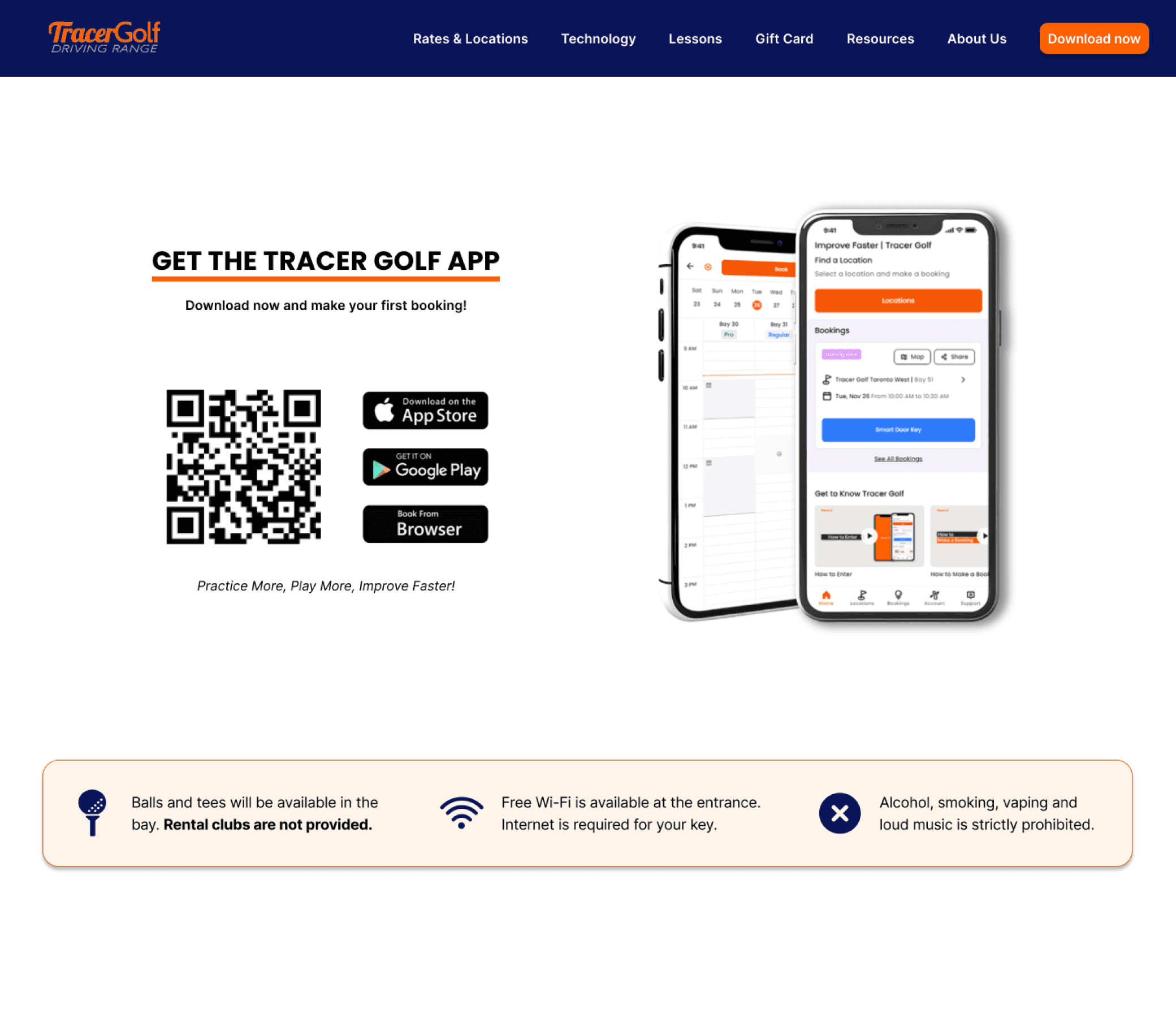
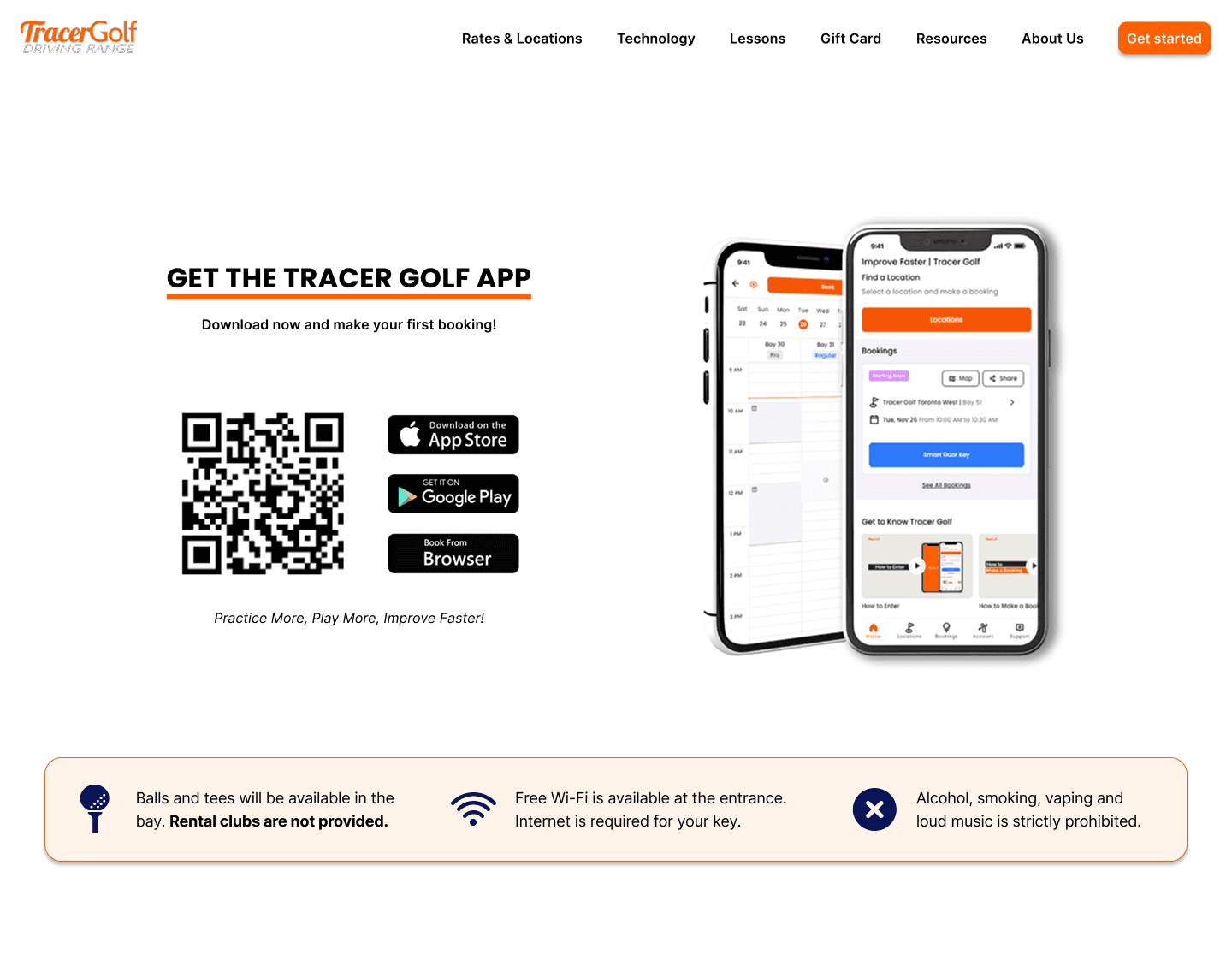
Changed the ‘Download now’ CTA to ‘Get started’ to make the wording more relatable to the action.
Removed Indigo navigation background for cleaner interface.
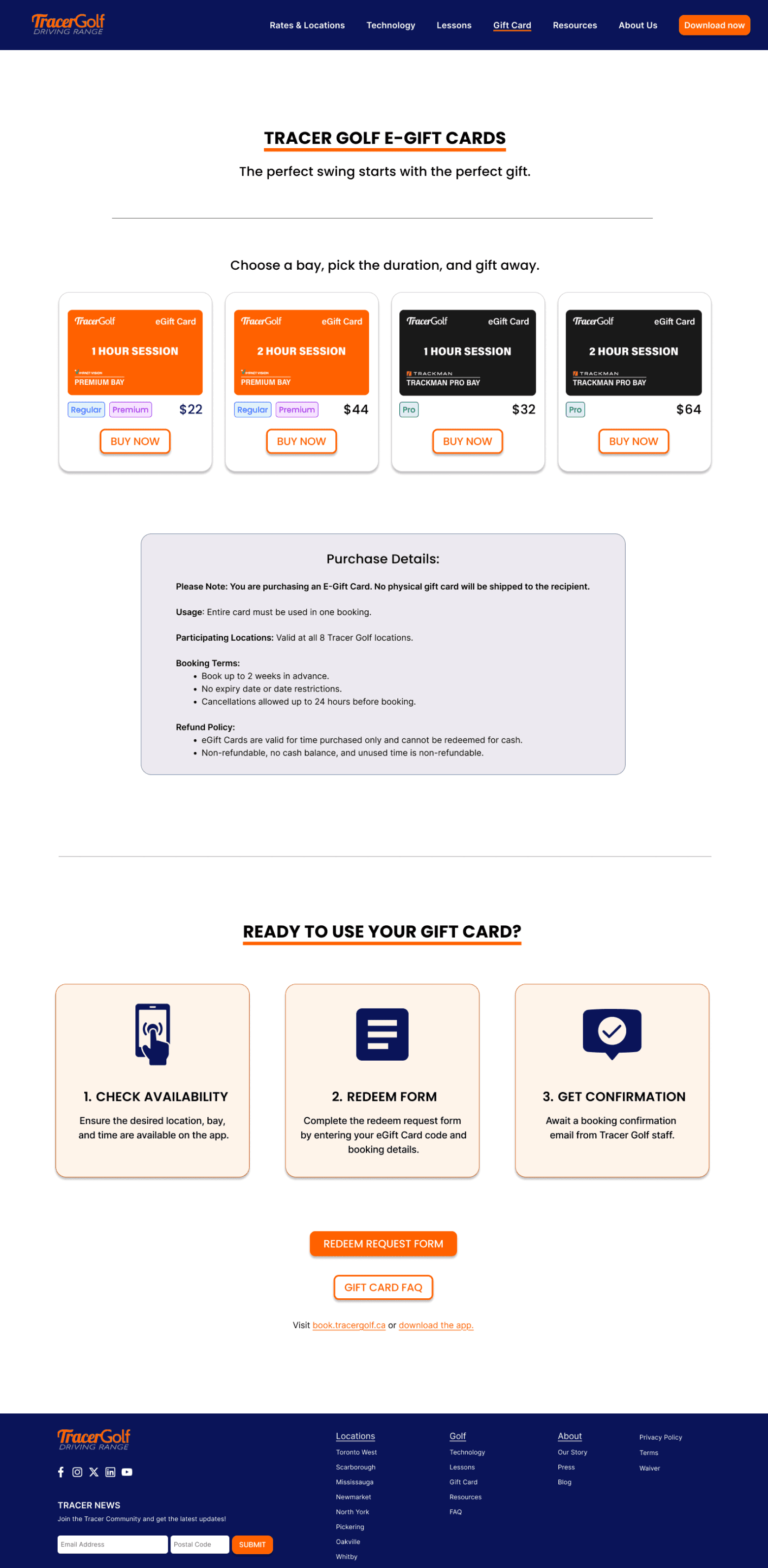
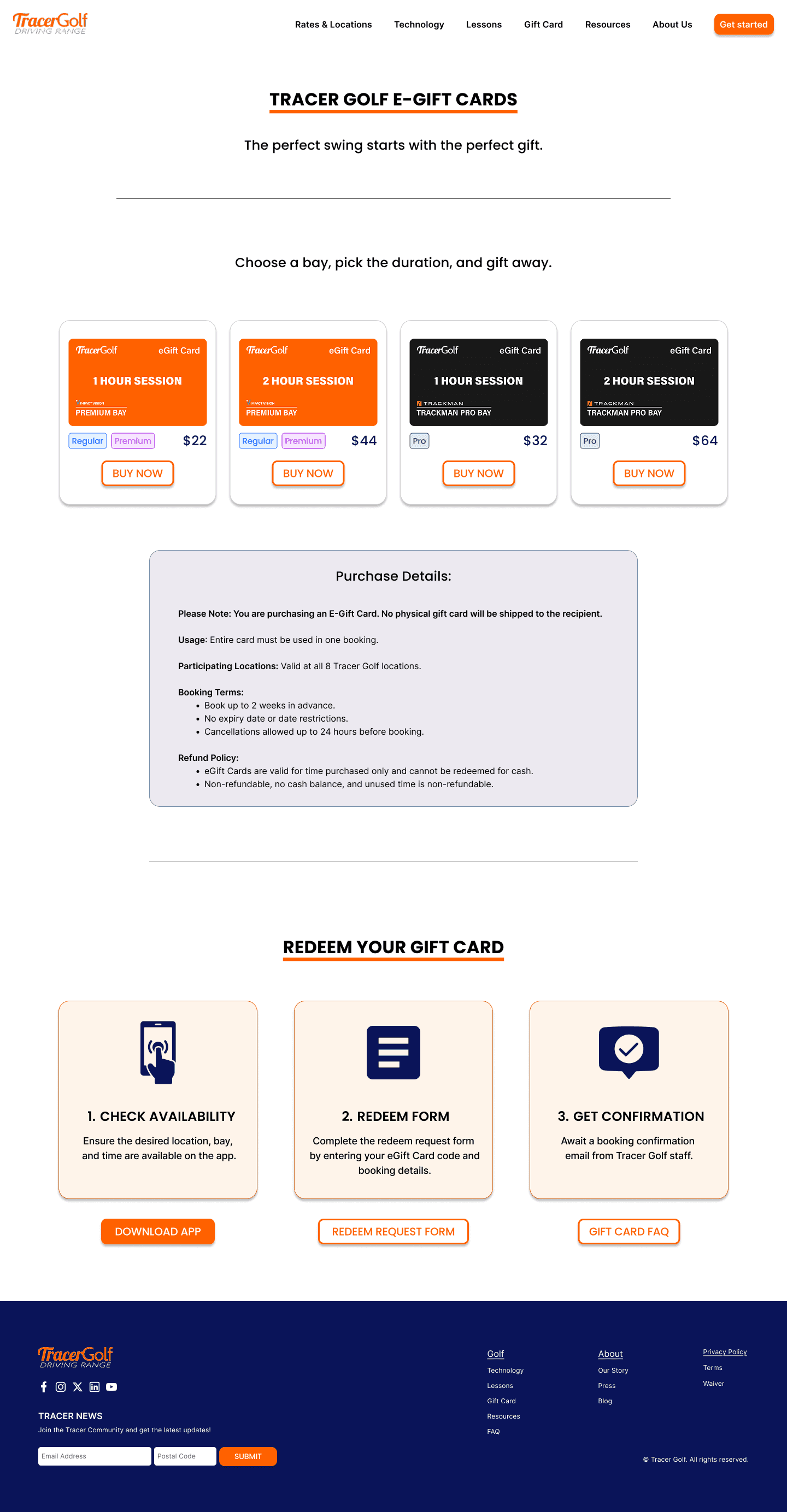
Adjusted CTA placement for clarity and relevance to the step by step actions.
Since the Tracer Golf mobile app was still in development during this project, we were unable to address the part of the user journey that transitions from the website to the app. However, we made sure to surface all usability concerns during this handoff and communicated them clearly to the client for future consideration.
Next steps
I would focus on building on the foundational work by exploring additional UI improvements and guiding the design of the app experience specifically focusing on streamlining the troubleshooting flow for users.
After redesign is published. I would focus on tracking impact metrics including customer service call volume, user satisfaction and improvement in conversion rates for new member sign-ups.
These indicators will help evaluate how well the redesign supports both user needs and business goals.
Reflection
This project was a valuable learning experience on many levels.
Our design recommendations did not always align with how the client envisioned the redesign. This taught me the importance of staying flexible while still advocating for the user. I learned that no matter how tight time constraints are, presenting alternative solutions along with clear reasoning and potential trade-offs can help stakeholders make more informed decisions.
I really enjoyed collaborating with my teammate. We leaned into our individual strengths and worked efficiently under pressure. While the design phase was highly collaborative, I found myself naturally leading discovery efforts and distilling insights into clear, actionable steps for the team.
